
How you request an invoice depends on how you have approached the recruitment process.
Option 1
If you have used the CWATS system to create and advertise a position, accepted candidates via the online application tracking system (ATS), and have now progressed to a placement, then please follow the guidance under option 1 below.
Option 2
If you have not advertised the job order and no applications were processed via the ATS, then go here.
Option 1
As you have advertised the position and received applications via the CWATS, the following entities will already exist:
- Job Order
- Company
- Candidate
To request an invoice to be issued, you must mark the candidate as placed against a job order. To do this, open the relevant job order and locate the relevant candidate record, and scroll down until you locate the Candidate Pipeline.

Choose the Action Status icon as indicated above to update the relevant record and the following window will appear.
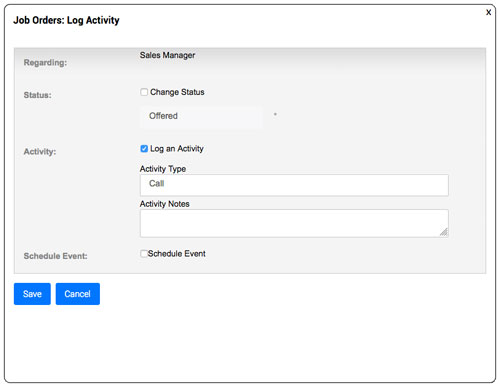
Select Change Status by clicking in the checkbox.
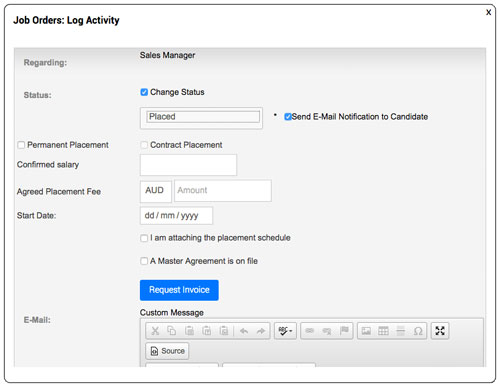
You will note that information required for the invoice to be issued appears in the window and can now be completed.
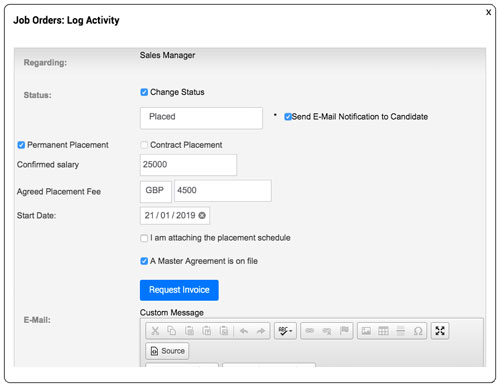
Terms explained:
Permanent Placement
The candidate has been placed on a permanent basis and salaried by the client as the employer.
Contract Placement
The candidate has been placed as a contractor/on-hire personnel and is being paid by Carter Wellington or a third party that does not involve the client as a direct employer.
Confirmed Salary
The salary that has been confirmed as the salary to be paid to this candidate. This amount may vary from the advertised salary.
Agreed Placement Fee
This is usually calculated as a percentage of the salary offered, however it can also be an agreed fee that is not based as a percentage. This would be set out in the Terms of Business that are on file for this client. It is important that you enter the currency in which the invoice is to be issued.
Start Date:
This is the date that the candidate is expected to commence in the position. This date is important as it is often linked to a rebate guarantee should the candidate not complete a probationary, or initial employment period.
Terms of Business
If the placement was as per Terms of Business that are currently on file, simply choose “A Master Agreement is on file”. If this was a “one-off” placement subject to different conditions, or if the client entered into an agreement for this placement only, then choose “I am attaching the Placement Schedule” and browse and attach the relevant document.
Once you have completed the information, simply click the Request Invoice button, and the status will change.
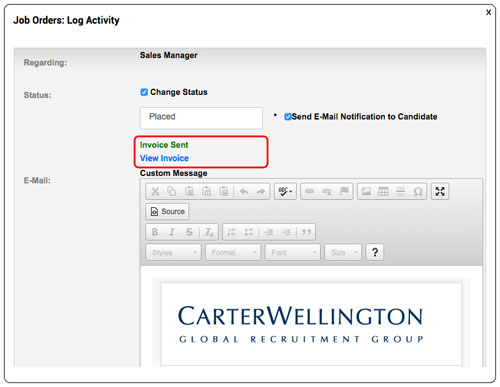
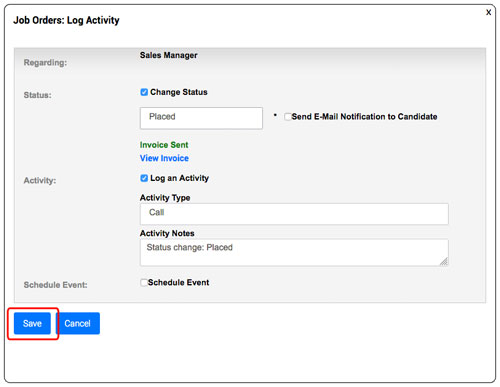
Choose what options you would like when saving the record, and choose save.
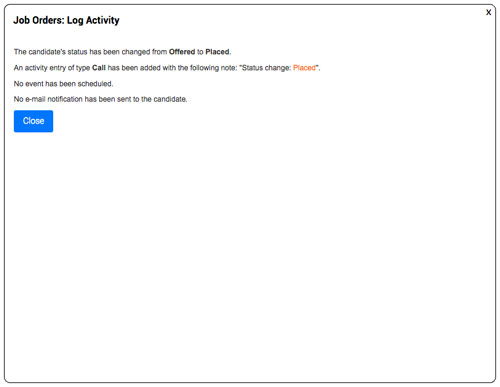
A confirmation screen will appear.
Option 2
Create the Company, Job Order and Candidate (in that order) in the CWATS and then follow the procedure as detailed in option 1 above.
THERE IS NO NECESSITY TO CREATE AN ONLINE ADVERTISEMENT.