
NoteAll job order details are checked for accuracy and professional presentation prior to being made publicly visible on carterwellington.com. For further information about how job orders are published, please see Publishing a Job Order
Select Job Orders from the side menu.
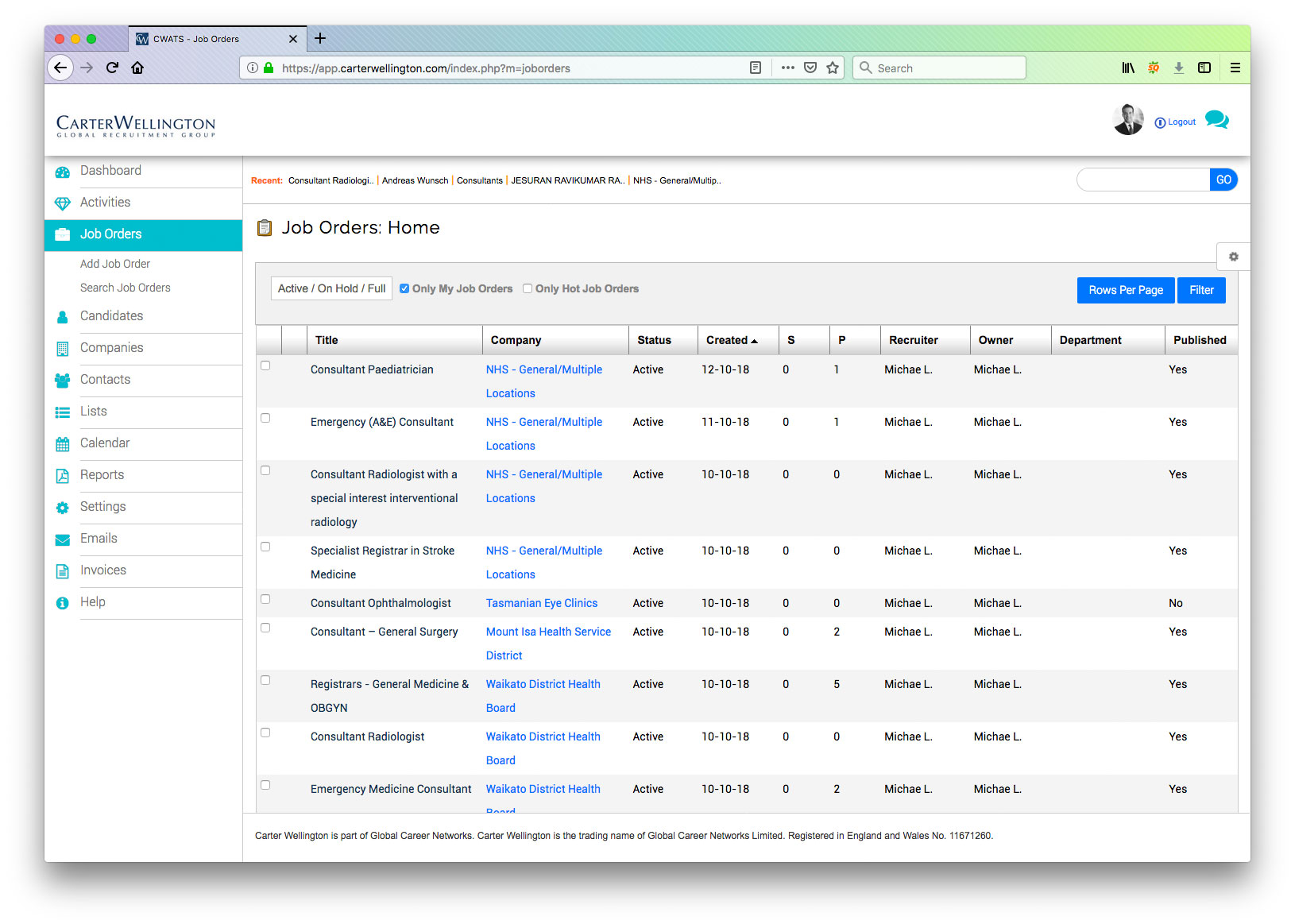
NoteIn the above image, all of the job orders belonging to the logged-in user are automatically listed. If this is the first time you have loaded this screen, your image will be different.
Select Add Job Order
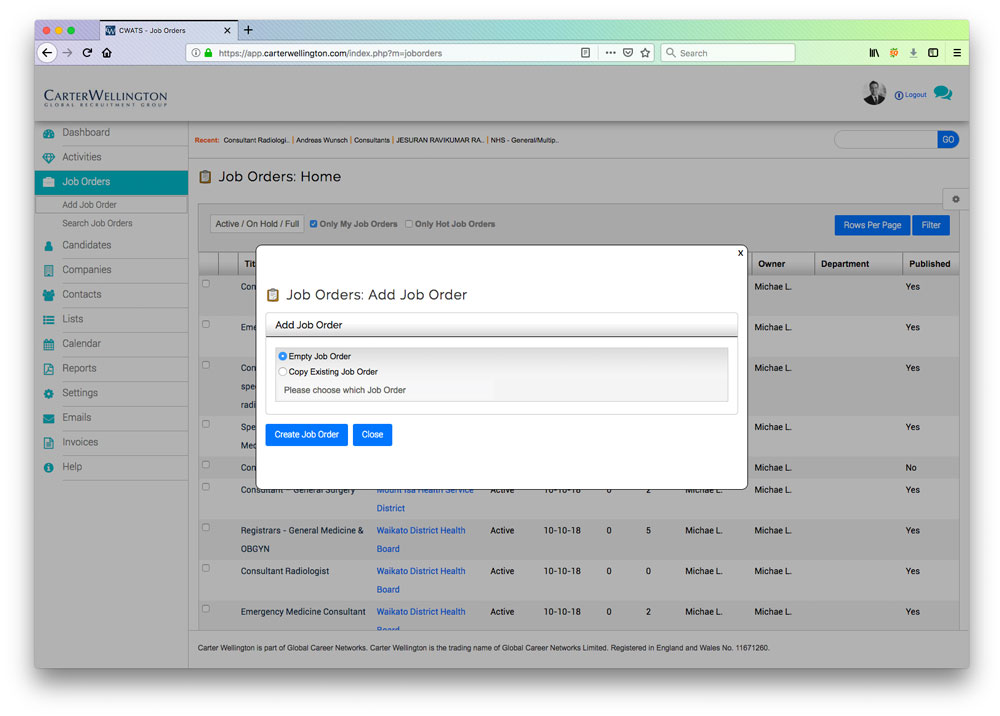
You are provided the option to create a new job order or to copy an existing job order. If you choose to copy and existing job order, all the details will be copied to a new job order.
IMPORTANTJob Orders belong to a company. To create a job order you must create the company first. As you type the name of the company in the company field, you will be offered the option to choose a matching company from the list, or create a new company if required.
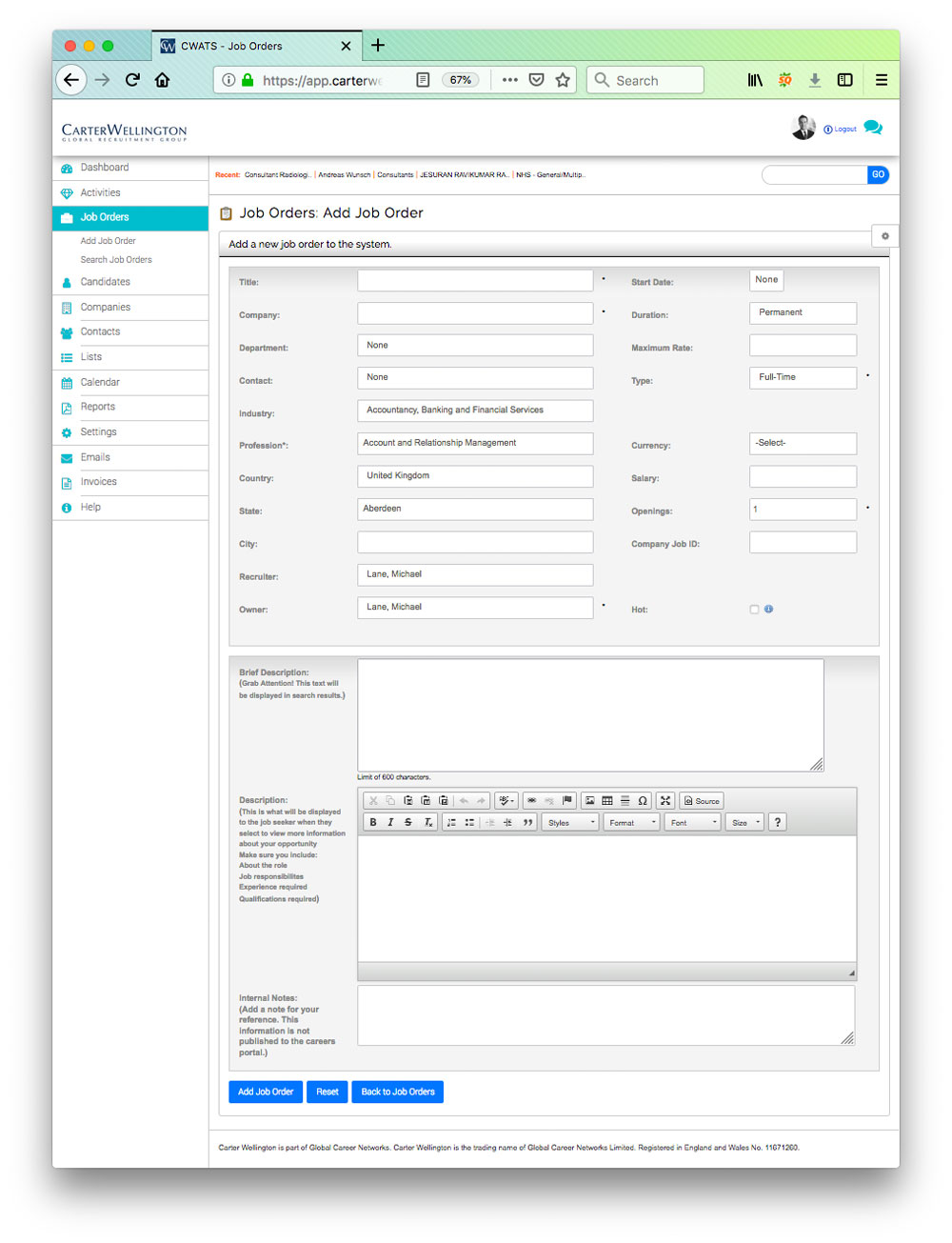
Complete the details to add the job order.
Select Add Job Order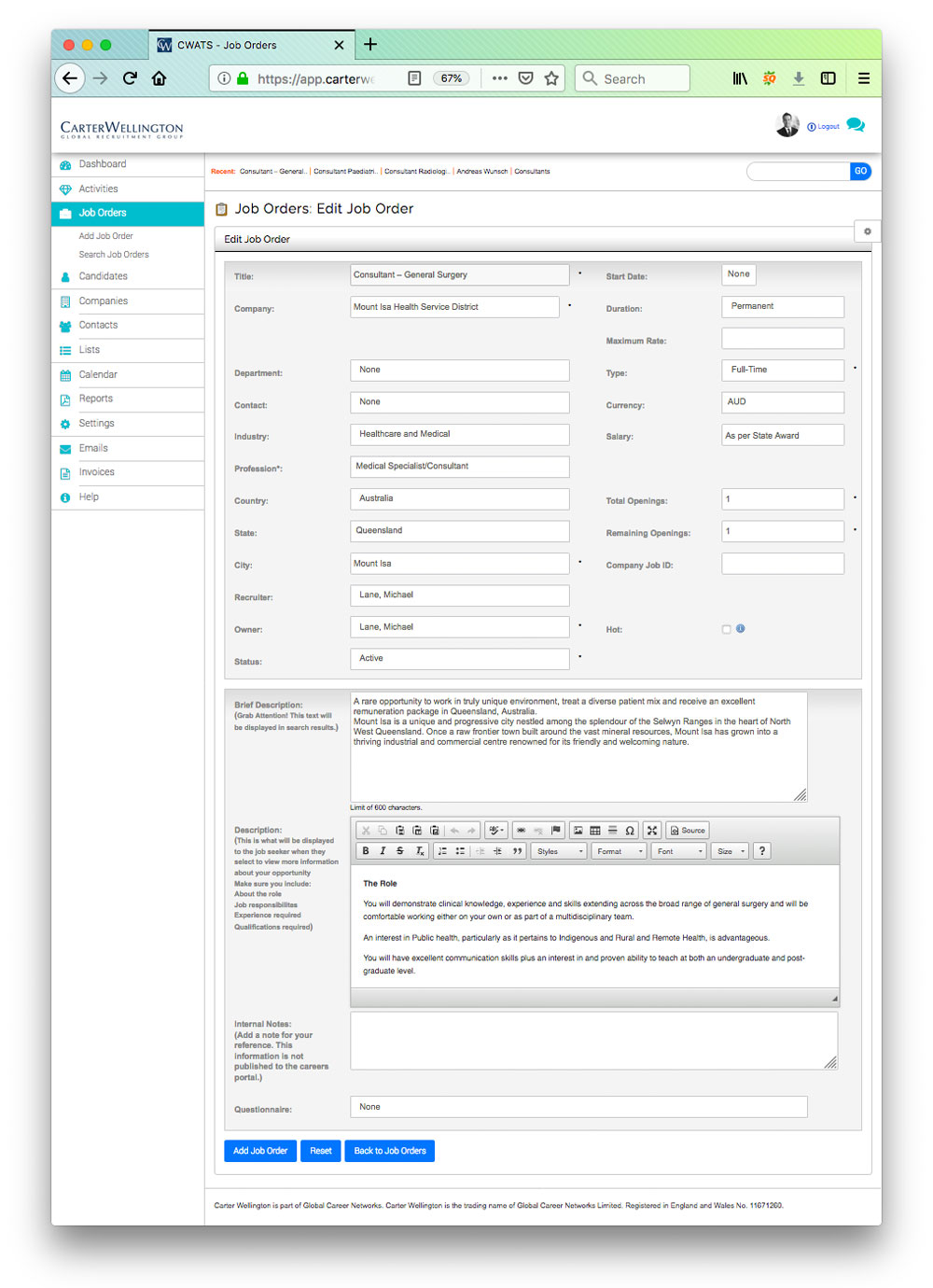
Choose Add Job Order
When your job order has been submitted, it will be reviewed by our support team for accuracy and professional presentation prior to being made publicly visible on carterwellington.com. The published status on any job order can be seen on the Job Orders: Home Screen as demonstrated below.

When your Job Order is published, it is displayed on:
- the carterwellington.com web site
- careers.global
- careers.global social media footprint including LinkedIn, Twitter and Facebook
- Global Career Networks Partners
and applications can be submitted via any of the above. All submitted applications will be available in the CWATS platform.